Ifc Context
Create an IFC Context (or subcontext).
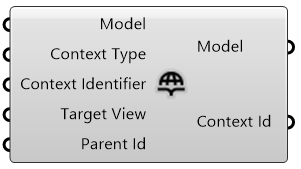
Input
-
Model*: the IfcOpenShell model.
-
Context Type: "Model" if you are working in 3d or "Plan" if you are working in 2d (default is "Model").
-
Context Identifier: the “Identifier” describes the purpose of the representation.
Can be:
- "Body": for the actual shape of the object;
- "Box": the bounding box of the object;
- "Axis": the parametric line determining the shape of the object;
- "Profile": the elevation slihouette of the object;
- "Footprint": the plan view silhouette of the object;
- "Clearance": the clearance zone of the object;
- "Annotation": symbolic annotations typically used in diagrams or drawings.
(default is "Body").
-
Target View: describes the typical diagrammatic presentation that context’s geometry should be viewed in.
Can be:
- "MODEL_VIEW": for 3D geometry you might see in a BIM viewer;
- "PLAN_VIEW": for 2D geometry you might see in a plan representation;
- "ELEVATION_VIEW": for 2D geometry you might see in an elevation representation;
- "SECTION_VIEW": for 2D geometry you might see in a section representation;
- "GRAPH_VIEW": for 2D or 3D line or frame or path connectivity diagrams; you might use for structural frame analysis, axis-based parametric modeling;
- "SKETCH_VIEW": for viewing abstract high-level representations such as in bubble diagrams of spatial topology;
(default is "MODEL_VIEW").
-
Parent Id: if this is a subcontext, a parent context id should be provided.
* Required
Output
-
Model: the IfcOpenShell model.
-
Contect Id: the context (or subcontext) id.