Read existing model
This guide assumes that you know about the IFC standard. If not, you can find informations in the offial documentation here.
The sample model shown is avalable at here.
Read model
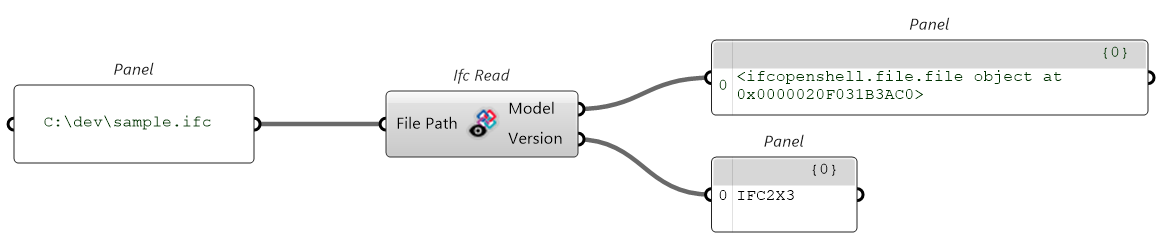
Open existing model, creating a model instance and getting the version. Supported versions are IFC2x3, IFC4 and IFC4x3.
Get geometry
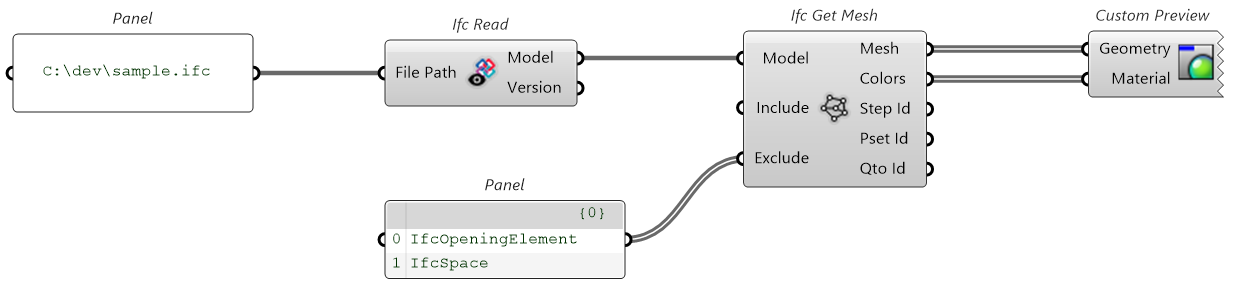
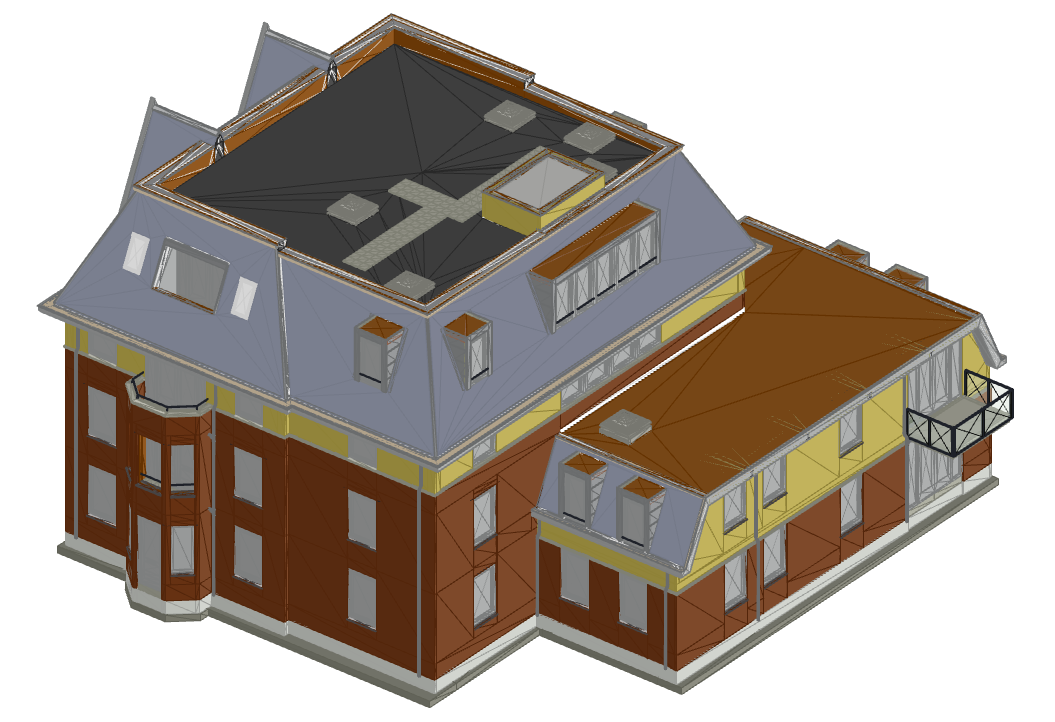
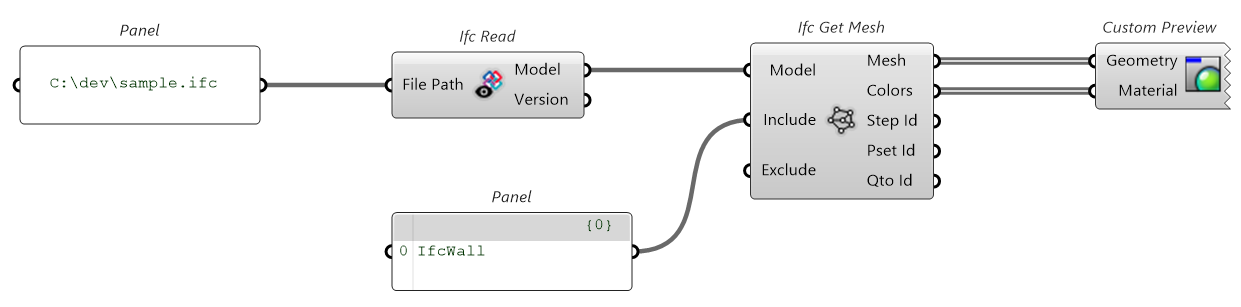
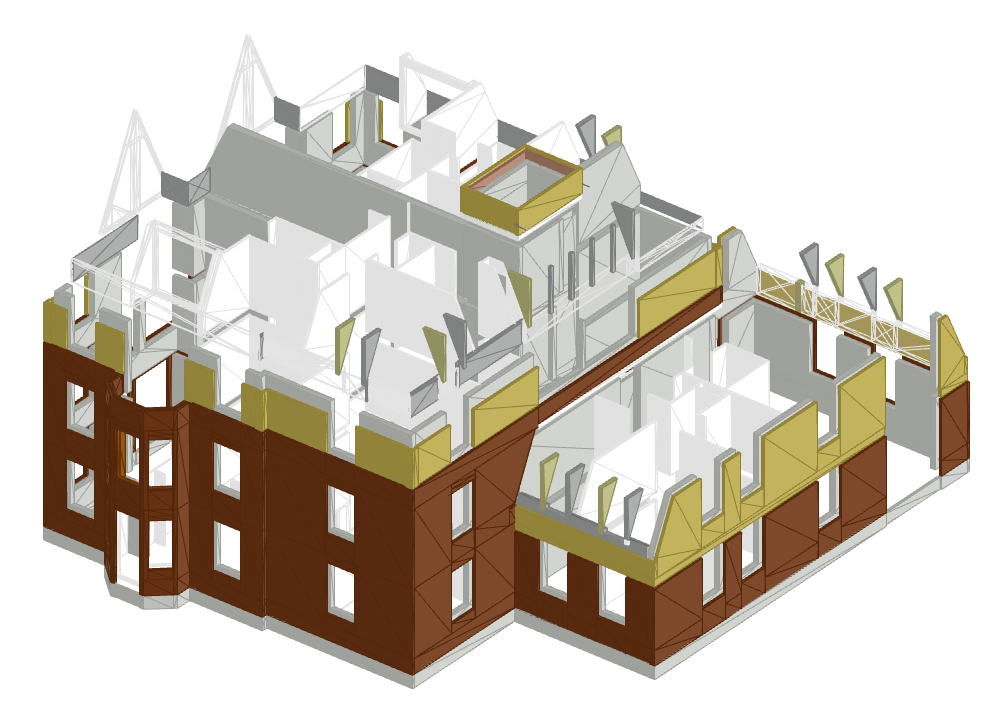
Get the geometry displayed in the Rhino scene, with proper coloring if avalable.
At the moment only meshes (i.e. explicit geometry) is supported, this means that even if an object is specified implicitly in the file (like extrusions and such), it will be automatically converted in a mesh to be displayed and processed.
You can exclude certain element classes, in this case for better visualization IfcOpeningElement and IfcSpace elements were excluded.
You can also inlcude only certain element classes, in this case only IfcWall elements were included.
Get info by id, guid, or type
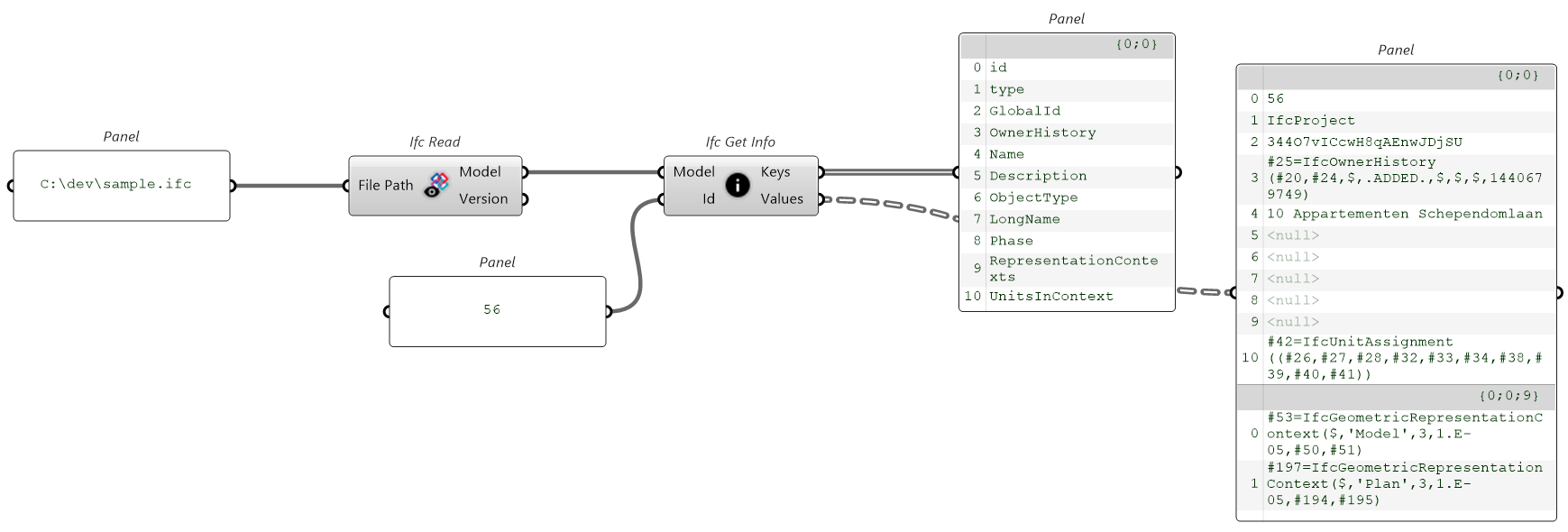
Let's get the element at step id #56. In this case the IfcProject.
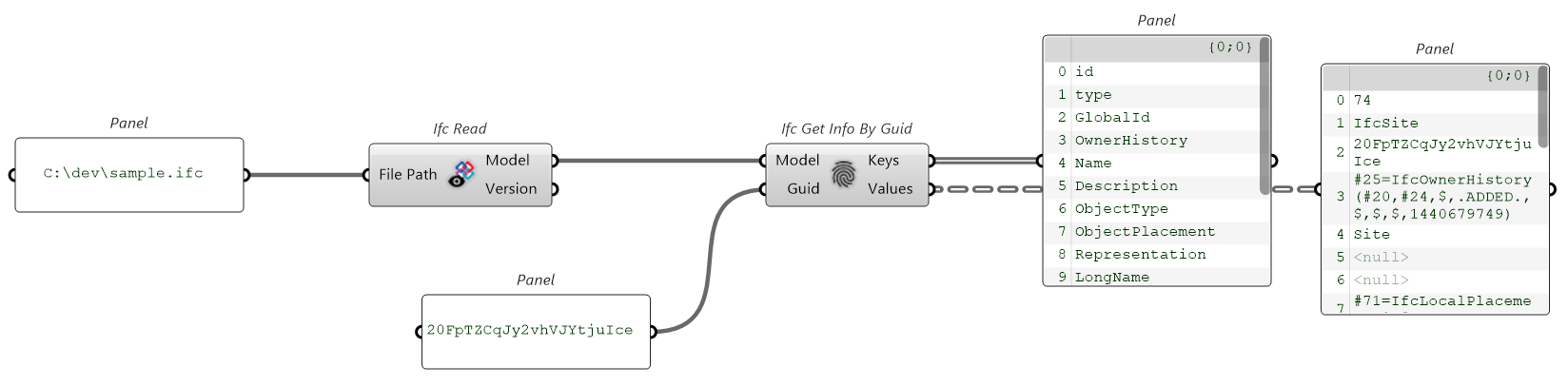
Let's get the element with guid 20FpTZCqJy2vhVJYtjuIce. In this case the IfcSite.
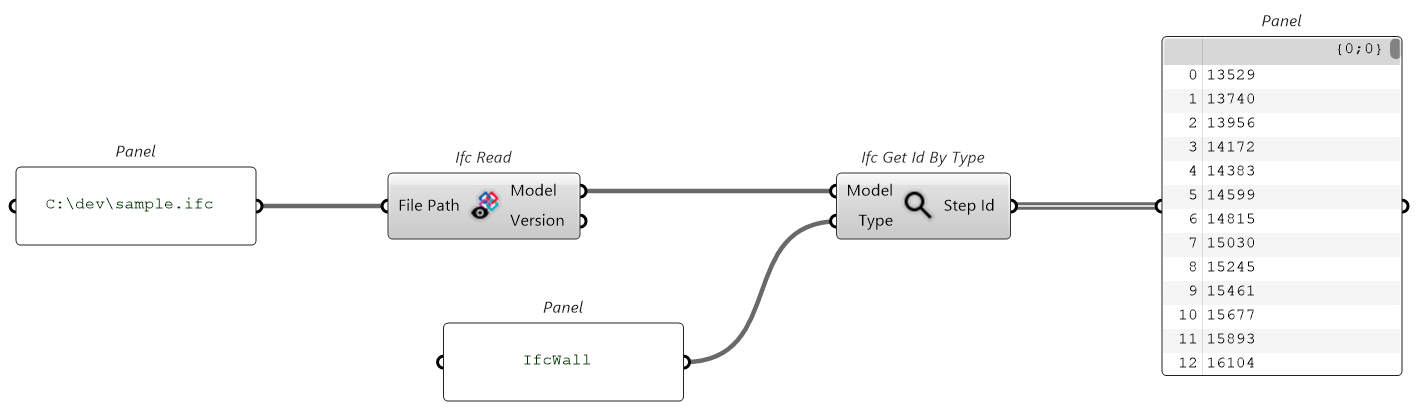
Let' get the elements of type IfcWall. In this case we get a list of 934 step ids, that we could feed in the Ifc Get Info component to get the corresponding attributes (be careful about performance when you provide a long list of step ids).